
New Features 2026
New Features Summer
1. We had a request from a client, which, after consideration, we thought might be useful to everyone. So thank you to Tatjana at FSJ Hospital Foundation
Sometimes it might be useful to get a quick overview of all giving history. To this end, we have added a Preview Listing of the historic totals by fiscal year found in a Donor’s Profile.

Right-click on the upper portion of the screen, and Preview appears.
Note that the Printer was selected and a Title provided. The fields to print were checked, and the report is created. All years except the current year will display.


Right-clicking on a specific gift, if receipted, continues to provide a Receipt Copy.
Please note this area is not used to modify existing receipts. To make a modification, the user must go through the Receipt Maintenance Window.
2. We tweaked a feature that was creating an issue. The problem was NonProfit Receipts that were ready to print, but there was no need to run the print.
Using Other Utilities, we reset the Receipt Required to No Receipts for the campaigns in question. This feature now works seamlessly. Please note: This is only accessible by users with Administrator access.


Please note: This feature works for donations or purchases where a receipt has not yet been printed.
3. Sending a Non-charitable Receipt with GST
If you need to send a receipt and want to identify the cost and the GST, you can add the GST to the Registration Amount field, and it will be added to the overall amount of the non-charitable receipt.


New Features Spring
Spring has brought a few new features. Please read carefully.
You know who to call if you have any questions!
1. Pledge Credit Card Expiry Dates
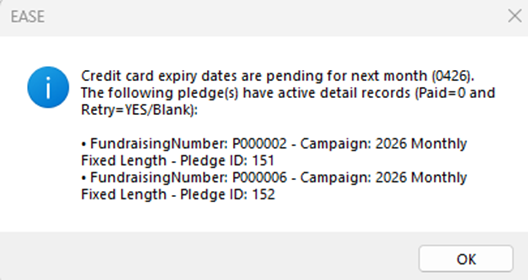
To help our clients keep on top of renewal dates coming up in the following month, this notice will appear at login.
To connect with donors where renewal dates are coming due there are two options.
Option One:
The Renewal Date Report
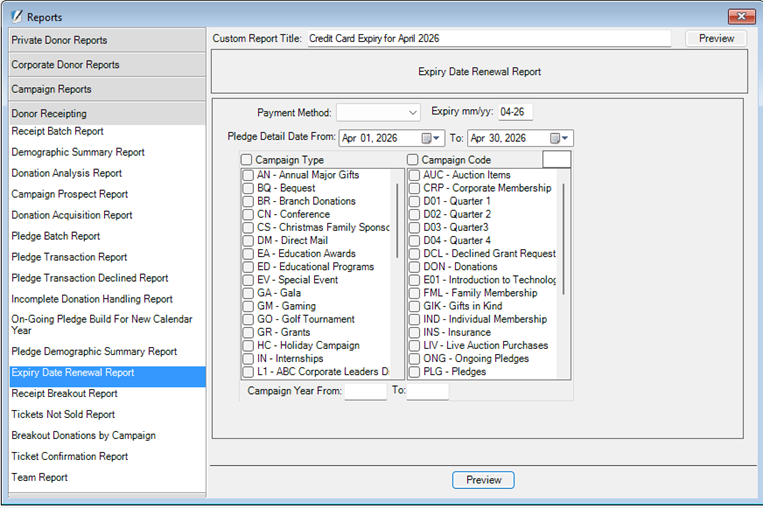
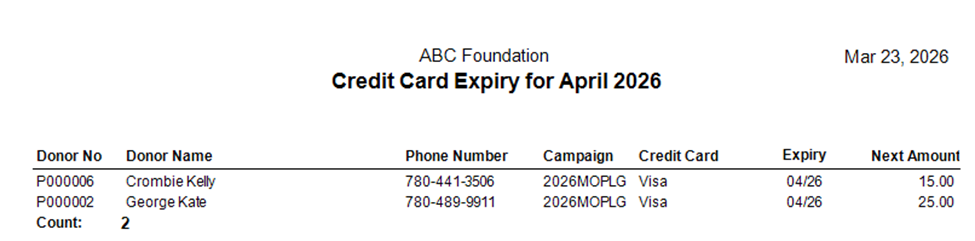
Please note: No Credit Card type is required.
Option 2:
The Q-Xpress Selection
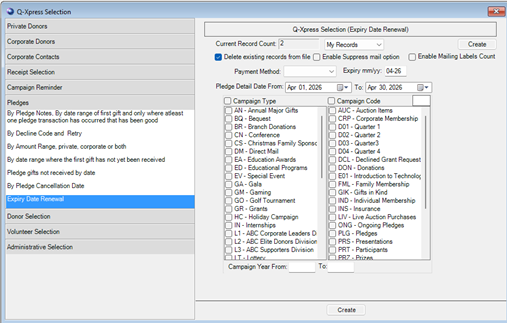

Full addresses, phone numbers, and emails are provided for contact by charity staff.
- A request was made to include a search by Mailing List Value in the Receipt Maintenance Find option window.
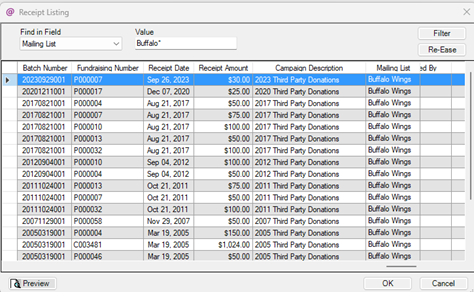
The Mailing List field is used to identify Third Party Event Names, Sponsorship Levels for special events and more.
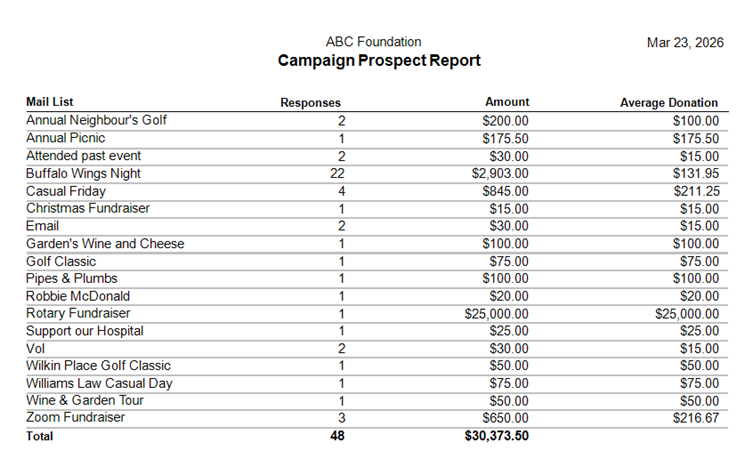
The Campaign Prospect Report will show by date range and campaign dollars received for all Mailing List values by campaign over a set of Fiscal Years.
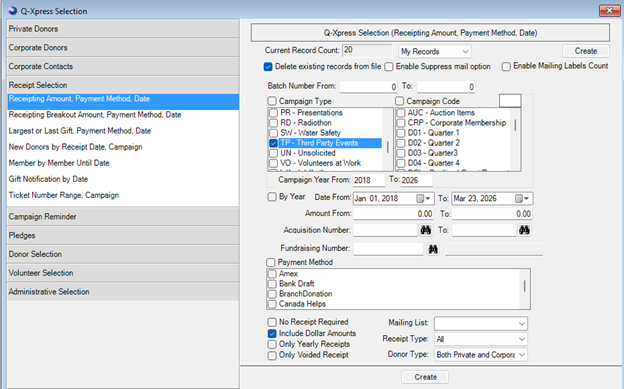
When only a specific Mailing List value is required, the Mailing List pull-down menu can be used to select it.
It is good to know that the Mailing List field can be updated at any time if it has been missed.
For example:
We have had many Third Party events over the years, but may not have entered the event name which is useful for reporting especially, when staff change is taken into consideration.
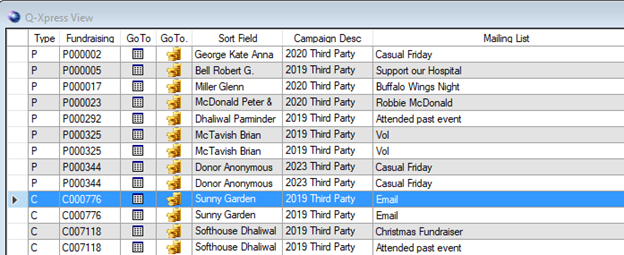
Click on the Gold Coins found on the record requiring an update. The Receipt Maintenance record will open. Update and Save.
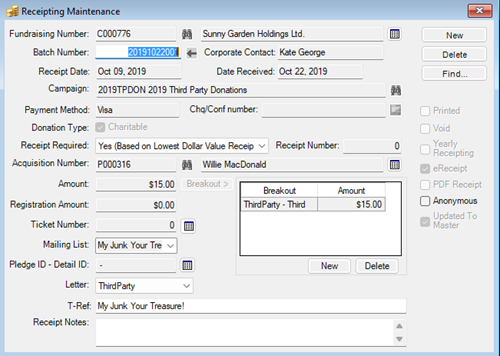
And it has been updated.

Adding Values to the Mailing List Table
Table entries for Mailing List values should be done through the Lookup Tables to ensure consistent entry and accurate reporting. Lookup Tables are found under File \ System Maintenance. Only Administrators are allowed to access and update Lookup Table entries.
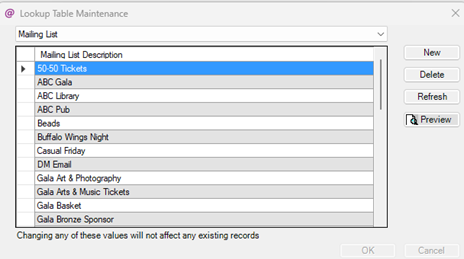
Note the message under the table. Changing these values will not remove or alter existing values in the database.
3. We added a new Receipt Type: Charitable with non-charitable receipt for gifts from other charities.
The Campaign Listing Report now reflects this new value.
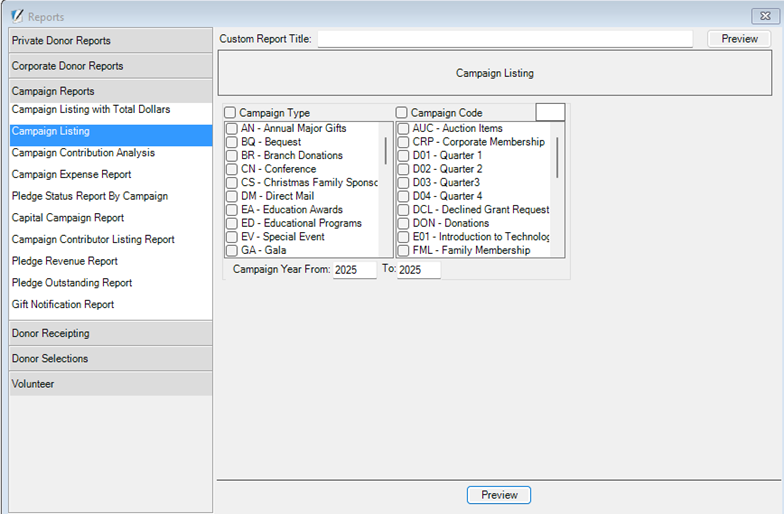
The Campaign Listing Report is imperative when building new campaigns to ensure they are correctly set up to reflect how donations and dollars are accumulated to donor records.
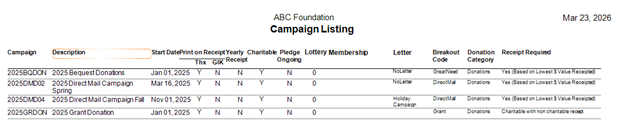
The campaign 2025GRDON is a grant campaign where the Receipt Required shows
Charitable with a non-charitable receipt.
Making a Payment using the iATS Payment Icon on the Receipt Window
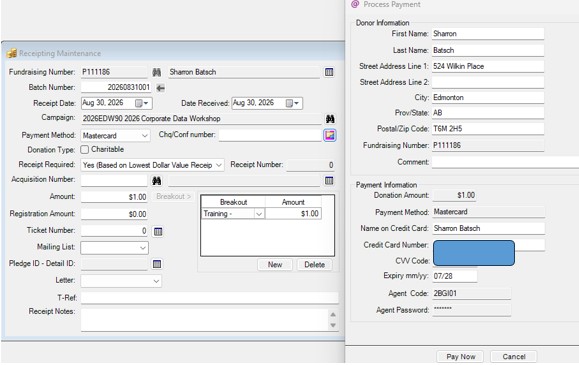
A small format change for the Expiry mm/yy has been added. This payment feature can be used when the charity uses iATS Payments for Visa, Mastercard or AMEX transactions.
The IATS payment code and password must be added to Organizational Defaults.

Donor Profile Report Tweak
The showing for Donations when either the Donor History of Donations by Year will now display only the number from the donor's Donation amount in their Profile. (Note: Donations not yet U2M are included.)

